Git diff Minified JS and CSS
— Kaushal ModiMake the git diff output be more useful when diffing minified .js
and .css files.
While working on a little PR for the Hugo doc site theme, I learned that if I needed to make changes to JS/CSS, I had to commit my changes in both unminified and minified versions.
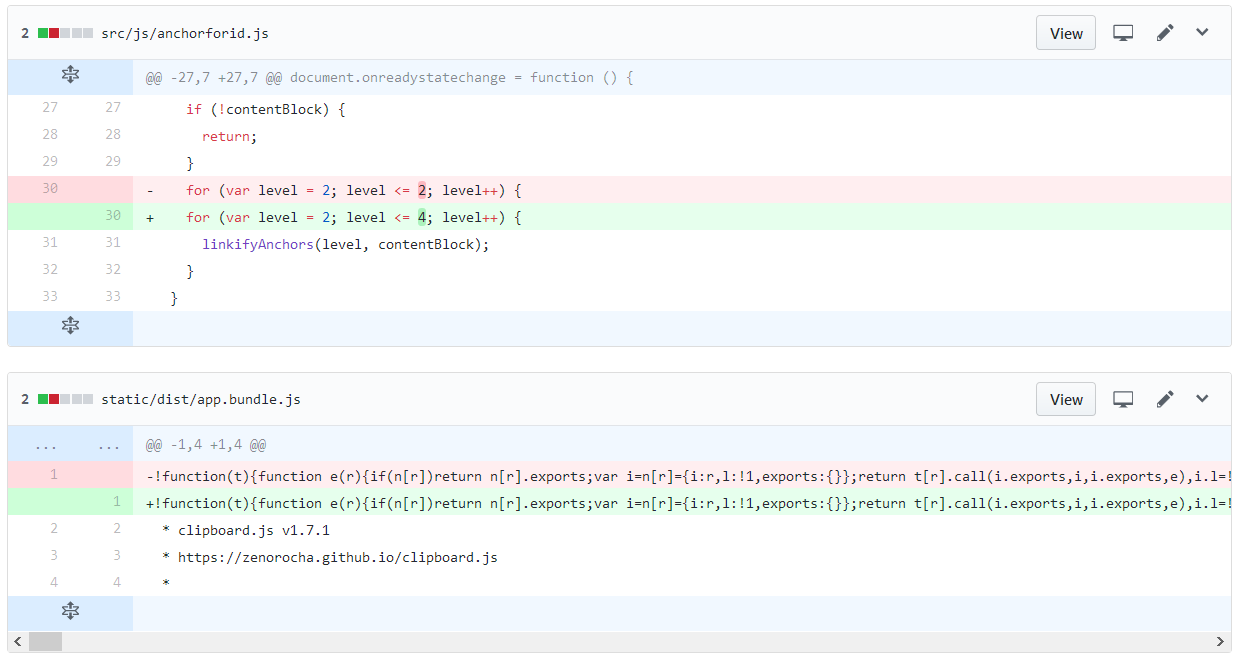
I have a habit to always look at the diffs at the time of staging and committing. So it felt very unnatural to commit a minified JS where the diff would show just one changed line with thousands of characters of minified+uglified JS.
So I started looking for solutions, and found this post by Christian
Weiske where he suggests using js-beautify to beautify minified
JS diffs.
And that tool works beautifully!
- I later found out that the same tool can also be used to beautify minified CSS.
- .. and I installed that tool using
npmas thepip3approach failed with “Collecting js-beautify.. Could not find a version that satisfies the requirement js-beautify (from versions: ) No matching distribution found for js-beautify”.
So here’s how you can do useful git diff for minified JS and CSS.
1 Install js-beautify using npm #
I see myself using js-beautify in many other projects too. So I
installed it globally.
npm install --global js-beautify
2 Configure git to use that tool #
Add below to your ~/.gitconfig:
- Use
js-beautifyto first beautify the minified JS for theminjsdiff configuration, and then do a diff of those beautified files. - Enable caching of those beautified files to speed up the diff, so that re-beautification of unmodified minified files can be skipped.
- Similarly for minified CSS, use
js-beautify --cssto first beautify the minified CSS for themincssdiff configuration.
[diff "minjs"]
    textconv = js-beautify
    cachetextconv = true
[diff "mincss"]
    textconv = js-beautify --css
    cachetextconv = true
3 Add/update .gitattributes file to the project repo #
Now, in your project repo’s .gitattributes file, you need to
associate files with the diff configurations set above.
Below will use the minjs configuration for *.min.js and
*.bundle.js files, and mincss configuration for *.min.css and
main.css.
*.min.js diff=minjs
*.bundle.js diff=minjs
*.min.css diff=mincss
main.css diff=mincss
Beautiful Result #
Figure 1: 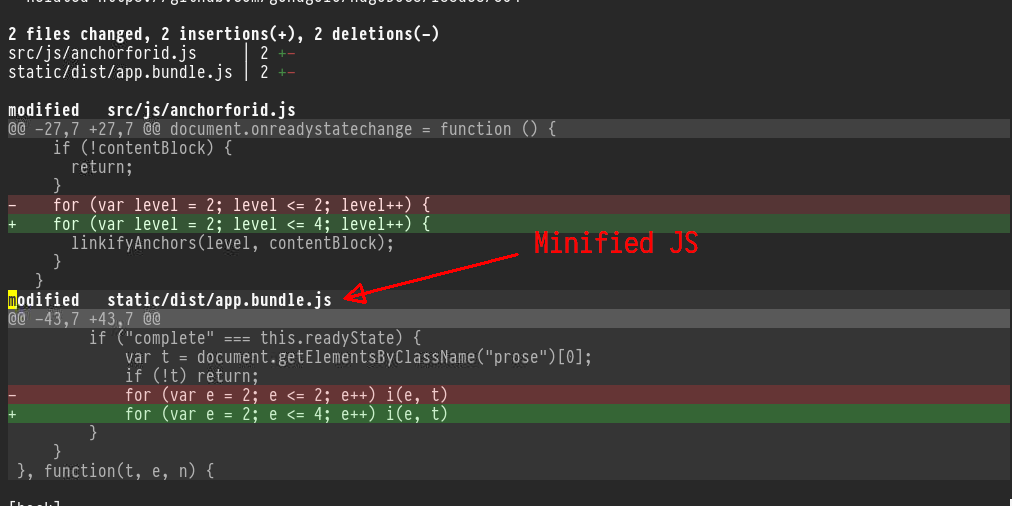
git diff of minified JS as seen in Magit
Isn’t that better than how GitHub shows the exact same commit diff? 😎