<?xml version="1.0" encoding="utf-8"?><feed xmlns="http://www.w3.org/2005/Atom" xml:lang="en-us"><generator uri="https://gohugo.io/" version="0.101.0">Hugo</generator><title type="html">Web Design on A Scripter's Notes</title><subtitle type="html">Emacs, scripting and anything text oriented.</subtitle><link href="https://scripter.co/categories/web-design/" rel="alternate" type="text/html" title="HTML"/><link href="https://scripter.co/categories/web-design/index.xml" rel="alternate" type="application/rss+xml" title="RSS"/><link href="https://scripter.co/categories/web-design/atom.xml" rel="self" type="application/atom+xml" title="Atom"/><link href="https://scripter.co/categories/web-design/jf2feed.json" rel="alternate" type="application/jf2feed+json" title="jf2feed"/><updated>2026-04-22T08:24:57-04:00</updated><author><name>Kaushal Modi</name><email>kaushal.modi@gmail.com</email></author><id>https://scripter.co/categories/web-design/</id><entry><title type="html">Generating a transparent favicon</title><link href="https://scripter.co/generating-a-transparent-favicon/?utm_source=atom_feed" rel="alternate" type="text/html"/><id>https://scripter.co/generating-a-transparent-favicon/</id><published>2016-10-15T01:27:35-04:00</published><updated>2016-10-15T01:27:35-04:00</updated><content type="html"><![CDATA[<p>While generating a simple favicon for this blog, I went through a little exercise on how to generate a favicon with transparent background. I did not want the favicon with square block background which runs a risk of not blending well with the browser tab background as seen below:</p>
<p><img src="/images/favicon_not_good.png" alt="Bad Favicon"></p>
<h2 id="inkscape-and-transparent-png">Inkscape and transparent png&nbsp;<a class="headline-hash no-text-decoration" href="#inkscape-and-transparent-png">#</a></h2>


<p>Here are the steps I took to make this icon transparent. I used <a href="https://inkscape.org/en/">Inkscape</a> and <a href="http://tools.dynamicdrive.com/favicon/">Dynamic Drive&rsquo;s online favicon generator</a> to make this happen.</p>
<ol>
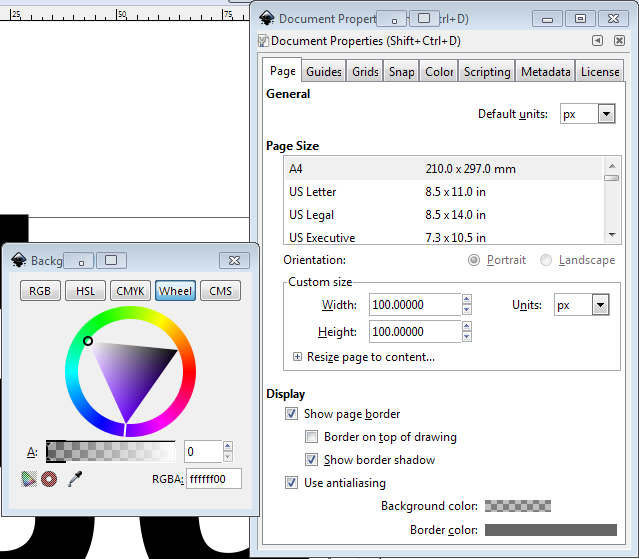
<li>Inkscape sets the background of the image to be transparent by default. But here is how to verify that that&rsquo;s the case. Do <kbd>Ctrl</kbd> + <kbd>Shift</kbd> + <kbd>d</kbd> or <em>Files &gt; Document Properties</em>, click on the <em>Background color</em> and ensure that the <em>Alpha</em> component of <em>RGBA Hex</em> is <code>00</code>.
<img src="/images/favicon_transparent_background.png" alt="Inkscape - Transparent Background"></li>
<li>This next step when saving the image is crucial. Do not simply <em>Save</em> or <em>Save As</em> the image. That will <em>not</em> save the transparent properties in the image!</li>
</ol>
<p>Thanks to <a href="https://graphicdesign.stackexchange.com/a/44411/78149">this <em>graphicdesign.stackexchange</em> solution</a>,</p>
<blockquote>
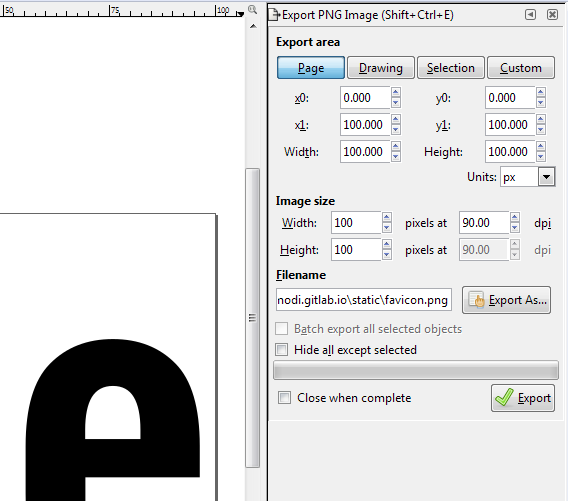
<p>Just using <em>save as -&gt; png</em> does not apply the transparent background. However, the transparent background is the default when you export: <em>File &gt; Export Bitmap -&gt; Export</em>.</p>
</blockquote>
<p>In newer Inkscape versions (at least in version 0.91), that option is <em>File &gt; Export PNG Image</em> (or <kbd>Ctrl</kbd> + <kbd>Shift</kbd> + <kbd>e</kbd>) instead. Note that when you do that, instead of a pop-up window, you will see an attached window (shown below) appear on the side.</p>
<p><img src="/images/favicon_export_png_image.png" alt="Inkscape - Export PNG Image"></p>

<h2 id="png-or-ico"><code>.png</code> or <code>.ico</code>&nbsp;<a class="headline-hash no-text-decoration" href="#png-or-ico">#</a></h2>


<p>Another question I faced when working on this was whether I should save the favicon as a <code>.png</code> or .<code>ico</code> because I have seen both of these types being used.</p>
<p>Thanks to <a href="https://stackoverflow.com/a/1344379/1219634">this <em>stackoverflow</em> solution</a>,</p>
<blockquote>
<p>All modern browsers (tested with Chrome 4, Firefox 3.5, IE8, Opera 10 and Safari 4) will always request a favicon.ico unless you&rsquo;ve specified a shortcut icon via &lt;link&gt;.</p>
</blockquote>
<p>The answer also says that <code>.ico</code> files support transparency just fine
and that&rsquo;s where I learned about Dynamic Drive&rsquo;s favicon generator tool.</p>

<h2 id="summary">Summary&nbsp;<a class="headline-hash no-text-decoration" href="#summary">#</a></h2>


<ul>
<li>Created a transparent <code>.png</code> in Inkscape.</li>
<li>Converted it to <code>.ico</code> using Dynamic Drive&rsquo;s favicon generator tool.</li>
<li>And the result!
<img src="/images/favicon_good.png" alt="Good Favicon"></li>
</ul>
<hr>

<h2 id="update---oct-20-2016">Update - Oct 20 2016&nbsp;<a class="headline-hash no-text-decoration" href="#update---oct-20-2016">#</a></h2>


<p>Today I was browsing this site on my Android phone and I noticed that the Google Chrome browser did not show this favicon on the list of recently visited websites.</p>
<p>That bugged me and a little bit of googling led me to an even better online favicon generator website: <a href="https://realfavicongenerator.net/">realfavicongenerator.net</a>.</p>
<p>I simply needed to upload my Inkscape created <code>.png</code> (with transparent background) to that site, and it provided a favicon package for different platforms and an HTML code to be put in the <code>&lt;head&gt;</code>:</p>
<div class="highlight"><pre tabindex="0" class="chroma"><code class="language-html" data-lang="html"><span class="line"><span class="cl"><span class="p">&lt;</span><span class="nt">link</span> <span class="na">rel</span><span class="o">=</span><span class="s">&#34;apple-touch-icon&#34;</span> <span class="na">sizes</span><span class="o">=</span><span class="s">&#34;180x180&#34;</span> <span class="na">href</span><span class="o">=</span><span class="s">&#34;/apple-touch-icon.png&#34;</span><span class="p">&gt;</span>
</span></span><span class="line"><span class="cl"><span class="p">&lt;</span><span class="nt">link</span> <span class="na">rel</span><span class="o">=</span><span class="s">&#34;icon&#34;</span> <span class="na">type</span><span class="o">=</span><span class="s">&#34;image/png&#34;</span> <span class="na">href</span><span class="o">=</span><span class="s">&#34;/favicon-32x32.png&#34;</span> <span class="na">sizes</span><span class="o">=</span><span class="s">&#34;32x32&#34;</span><span class="p">&gt;</span>
</span></span><span class="line"><span class="cl"><span class="p">&lt;</span><span class="nt">link</span> <span class="na">rel</span><span class="o">=</span><span class="s">&#34;icon&#34;</span> <span class="na">type</span><span class="o">=</span><span class="s">&#34;image/png&#34;</span> <span class="na">href</span><span class="o">=</span><span class="s">&#34;/favicon-16x16.png&#34;</span> <span class="na">sizes</span><span class="o">=</span><span class="s">&#34;16x16&#34;</span><span class="p">&gt;</span>
</span></span><span class="line"><span class="cl"><span class="p">&lt;</span><span class="nt">link</span> <span class="na">rel</span><span class="o">=</span><span class="s">&#34;manifest&#34;</span> <span class="na">href</span><span class="o">=</span><span class="s">&#34;/manifest.json&#34;</span><span class="p">&gt;</span>
</span></span><span class="line"><span class="cl"><span class="p">&lt;</span><span class="nt">link</span> <span class="na">rel</span><span class="o">=</span><span class="s">&#34;mask-icon&#34;</span> <span class="na">href</span><span class="o">=</span><span class="s">&#34;/safari-pinned-tab.svg&#34;</span> <span class="na">color</span><span class="o">=</span><span class="s">&#34;#5bbad5&#34;</span><span class="p">&gt;</span>
</span></span><span class="line"><span class="cl"><span class="p">&lt;</span><span class="nt">meta</span> <span class="na">name</span><span class="o">=</span><span class="s">&#34;theme-color&#34;</span> <span class="na">content</span><span class="o">=</span><span class="s">&#34;#000000&#34;</span><span class="p">&gt;</span>
</span></span></code></pre></div><p>The website also shows previews of how the icon would look on different platforms: regular browser tabs, iOS, Android, etc.</p>
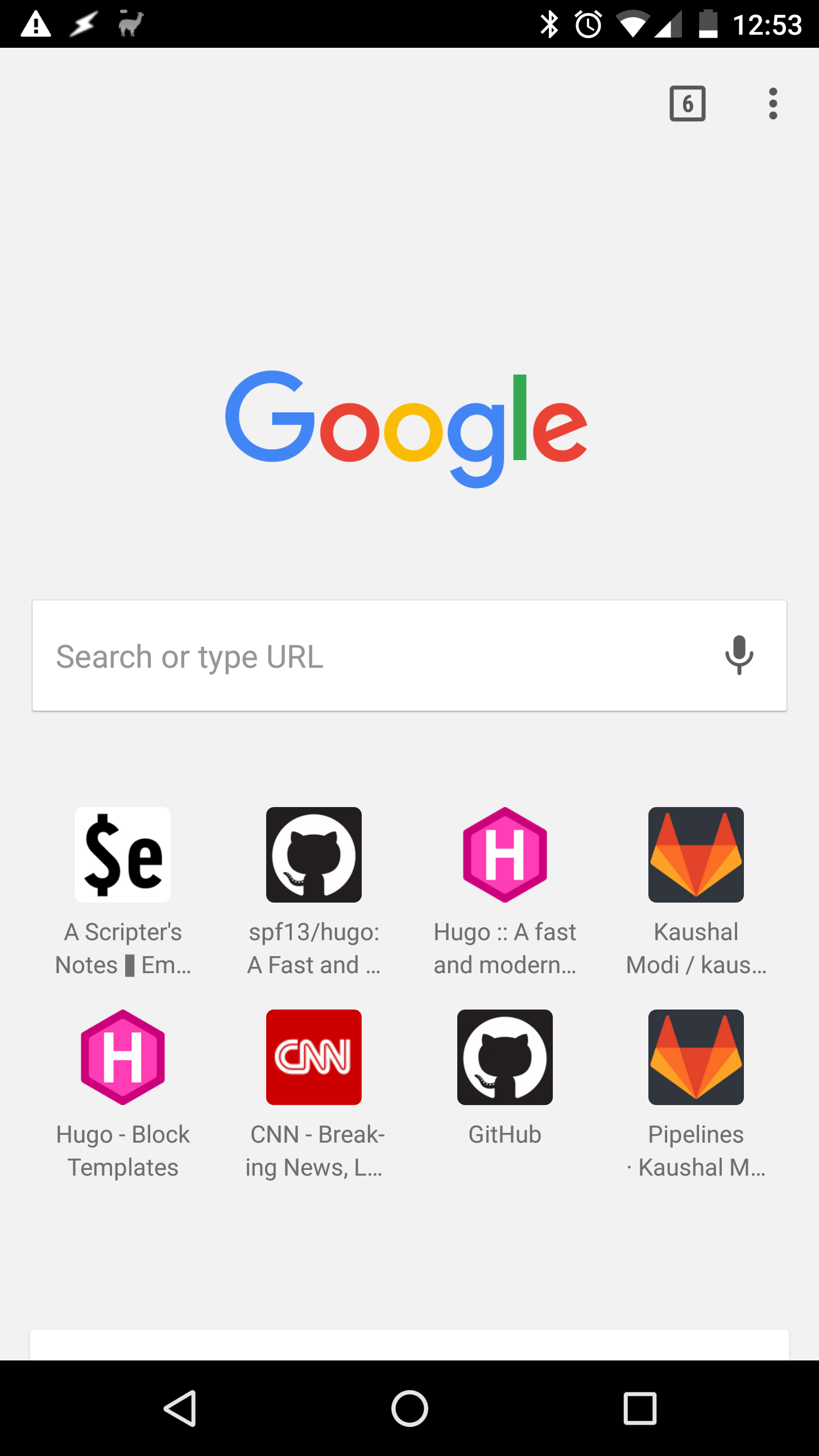
<p>Here is how this favicon looks on Android Chrome after updating the icons and this website&rsquo;s <code>&lt;head&gt;</code>.</p>
<p><img src="/images/favicon_android_chrome.png" alt="Favicon in Android Chrome"></p>]]></content><category scheme="https://scripter.co/categories/web-design" term="web-design" label="Web Design"/><category scheme="https://scripter.co/tags/favicon" term="favicon" label="favicon"/><category scheme="https://scripter.co/tags/transparent" term="transparent" label="transparent"/><category scheme="https://scripter.co/tags/browser" term="browser" label="browser"/></entry></feed>