<?xml version="1.0" encoding="utf-8"?><feed xmlns="http://www.w3.org/2005/Atom" xml:lang="en-us"><generator uri="https://gohugo.io/" version="0.101.0">Hugo</generator><title type="html">gitlab on A Scripter's Notes</title><subtitle type="html">Emacs, scripting and anything text oriented.</subtitle><link href="https://scripter.co/categories/gitlab/" rel="alternate" type="text/html" title="HTML"/><link href="https://scripter.co/categories/gitlab/index.xml" rel="alternate" type="application/rss+xml" title="RSS"/><link href="https://scripter.co/categories/gitlab/atom.xml" rel="self" type="application/atom+xml" title="Atom"/><link href="https://scripter.co/categories/gitlab/jf2feed.json" rel="alternate" type="application/jf2feed+json" title="jf2feed"/><updated>2026-04-22T08:24:57-04:00</updated><author><name>Kaushal Modi</name><email>kaushal.modi@gmail.com</email></author><id>https://scripter.co/categories/gitlab/</id><entry><title type="html">How I Created this Blog</title><link href="https://scripter.co/how-i-created-this-blog/?utm_source=atom_feed" rel="alternate" type="text/html"/><id>https://scripter.co/how-i-created-this-blog/</id><published>2016-10-10T11:27:10-04:00</published><updated>2016-10-10T11:27:10-04:00</updated><content type="html"><![CDATA[<p>I have been toying with the idea to use <a href="https://gohugo.io/"><code>hugo</code></a> as my static web site generator for few weeks now. And then the news of its version 0.17 release are <a href="http://spf13.com/post/hugo-goes-global/">announced</a>, and <code>hugo</code> shows up on <a href="https://news.ycombinator.com/item?id=12672394">Hacker News once again</a>.</p>
<p>Somehow while browsing through the comments on HN, I end up on <a href="https://pages.gitlab.io/">Gitlab Pages</a>, and there I read:</p>
<blockquote>
<p>While you can create a project from scratch, let&rsquo;s keep it simple and fork one of your favorite example projects to get a quick start. GitLab Pages works with <strong>any</strong> <em>(emphasis mine)</em> static site generator.</p>
</blockquote>
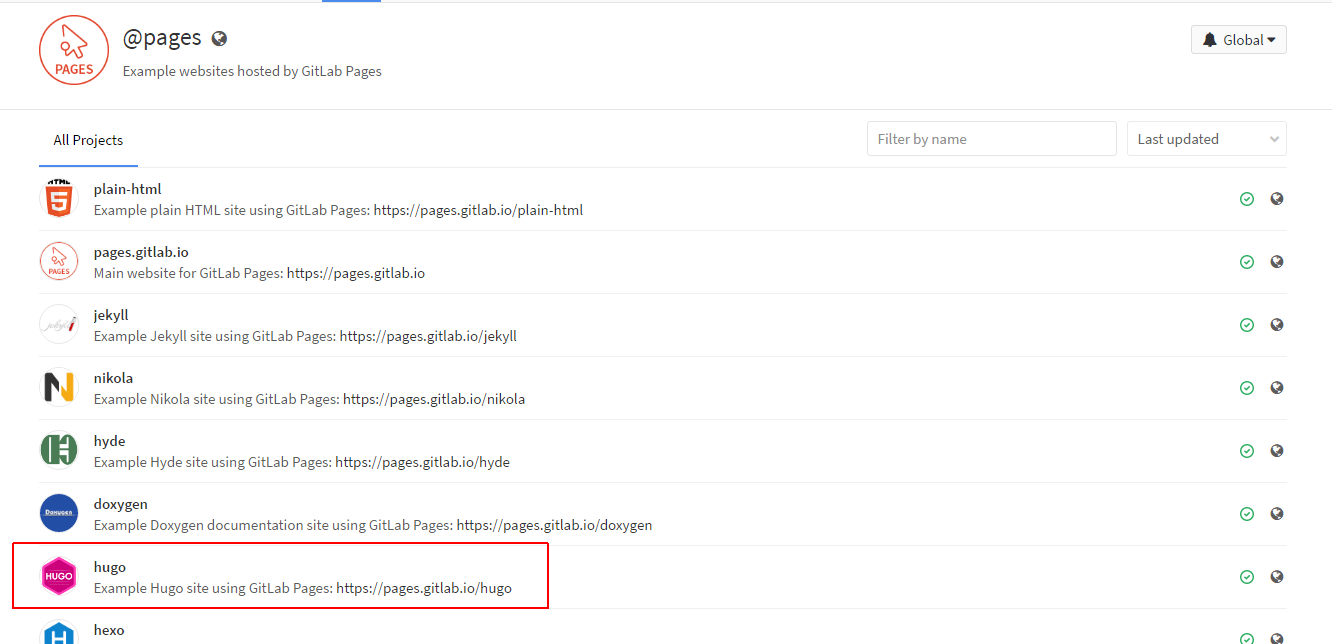
<p>From there I navigate to the <a href="https://gitlab.com/groups/pages">Example projects for various static site generators</a> and Hugo is one of them!</p>
<p><img src="/images/gitlab_pages_examples_hugo.png" alt="Gitlab Pages Examples - Hugo"></p>
<p>So then I proceed to the <a href="https://gitlab.com/pages/hugo"><code>hugo</code> example</a>, and then proceed through the following steps to get my own <em>Gitlab Page</em> running!</p>
<ol>
<li><em>Fork</em> the <a href="https://gitlab.com/pages/hugo"><code>hugo</code> example</a></li>
<li>In the fork&rsquo;s <em>Settings (Gear icon) &gt; Runners</em>, I ensure that shared runners are enabled. These runners are what rebuild my static web page each time I update the content/site configuration.</li>
<li>In <em>Settings &gt; Edit Project</em>,
<ul>
<li>Navigate to <strong>Rename repository</strong> section and change the fields in <strong>Project name</strong> and <strong>Path</strong> to <code>NAMESPACE.gitlab.io</code> where <em>NAMESPACE</em> is your gitlab <em>username</em>.</li>
<li>Navigate further down in the same page and remove the forking relationship (optional).</li>
</ul>
</li>
<li>In <code>config.toml</code>, change this <code>baseurl</code> line, from <code>&quot;https://pages.gitlab.io/hugo/&quot;</code> to <code>&quot;https://NAMESPACE.gitlab.io&quot;</code> where <em>NAMESPACE</em> is your gitlab <em>username</em>. Then <strong>commit and push those changes</strong>.</li>
</ol>
<p>Within few minutes when the shared runner finished building the site, my site was available on <a href="https://kaushalmodi.gitlab.io"><code>https://kaushalmodi.gitlab.io</code></a>.</p>
<p>The source repo for this site is <a href="https://gitlab.com/kaushalmodi/kaushalmodi.gitlab.io">here</a>.</p>

<h2 id="port-from-octopress">Port from Octopress&nbsp;<a class="headline-hash no-text-decoration" href="#port-from-octopress">#</a></h2>


<p>After setting up Gitlab and <code>hugo</code> CI, it was then pretty straightforward to port in my <em>very old</em> posts from my Octopress blog.</p>

<h2 id="tweaking-the-gitlab-ci-configuration-script">Tweaking the Gitlab CI configuration script&nbsp;<a class="headline-hash no-text-decoration" href="#tweaking-the-gitlab-ci-configuration-script">#</a></h2>


<p>I tweaked the Gitlab provided <code>.gitlab-ci.yml</code> to achieve two things:</p>
<ol>
<li>Use the latest <code>hugo</code> release as of today (version 0.17)</li>
<li>Use <a href="http://pygments.org/"><em>Pygments</em></a> for syntax highlighting.</li>
</ol>
<p>So below was the result:</p>
<div class="highlight"><pre tabindex="0" class="chroma"><code class="language-yaml" data-lang="yaml"><span class="line"><span class="cl"><span class="nt">image</span><span class="p">:</span><span class="w"> </span><span class="l">alpine:3.4</span><span class="w">
</span></span></span><span class="line"><span class="cl"><span class="w">
</span></span></span><span class="line"><span class="cl"><span class="w"></span><span class="nt">before_script</span><span class="p">:</span><span class="w">
</span></span></span><span class="line"><span class="cl"><span class="w">  </span>- <span class="l">apk update &amp;&amp; apk add openssl</span><span class="w">
</span></span></span><span class="line"><span class="cl"><span class="w">  </span><span class="c"># Install Pygments for syntax highlighting</span><span class="w">
</span></span></span><span class="line"><span class="cl"><span class="w">  </span><span class="c"># https://gitlab.com/gitlab-com/support-forum/issues/1150#note_16763556</span><span class="w">
</span></span></span><span class="line"><span class="cl"><span class="w">  </span>- <span class="l">apk add py-pygments</span><span class="w">
</span></span></span><span class="line"><span class="cl"><span class="w">  </span>- <span class="l">wget https://github.com/spf13/hugo/releases/download/v0.17/hugo_0.17_Linux-64bit.tar.gz</span><span class="w">
</span></span></span><span class="line"><span class="cl"><span class="w">  </span>- <span class="l">echo &#34;6a74626b64434a5ee9fc5ec4fbf22ce6  hugo_0.17_Linux-64bit.tar.gz&#34; | md5sum -c</span><span class="w">
</span></span></span><span class="line"><span class="cl"><span class="w">  </span>- <span class="l">tar xf hugo_0.17_Linux-64bit.tar.gz &amp;&amp; cp ./hugo_0.17_linux_amd64/hugo_0.17_linux_amd64 /usr/bin/hugo</span><span class="w">
</span></span></span><span class="line"><span class="cl"><span class="w">  </span>- <span class="l">hugo version</span><span class="w">
</span></span></span><span class="line"><span class="cl"><span class="w">
</span></span></span><span class="line"><span class="cl"><span class="w"></span><span class="nt">test</span><span class="p">:</span><span class="w">
</span></span></span><span class="line"><span class="cl"><span class="w">  </span><span class="nt">script</span><span class="p">:</span><span class="w">
</span></span></span><span class="line"><span class="cl"><span class="w">  </span>- <span class="l">hugo</span><span class="w">
</span></span></span><span class="line"><span class="cl"><span class="w">  </span><span class="nt">except</span><span class="p">:</span><span class="w">
</span></span></span><span class="line"><span class="cl"><span class="w">  </span>- <span class="l">master</span><span class="w">
</span></span></span><span class="line"><span class="cl"><span class="w">
</span></span></span><span class="line"><span class="cl"><span class="w"></span><span class="nt">pages</span><span class="p">:</span><span class="w">
</span></span></span><span class="line"><span class="cl"><span class="w">  </span><span class="nt">script</span><span class="p">:</span><span class="w">
</span></span></span><span class="line"><span class="cl"><span class="w">  </span>- <span class="l">hugo</span><span class="w">
</span></span></span><span class="line"><span class="cl"><span class="w">  </span><span class="nt">artifacts</span><span class="p">:</span><span class="w">
</span></span></span><span class="line"><span class="cl"><span class="w">    </span><span class="nt">paths</span><span class="p">:</span><span class="w">
</span></span></span><span class="line"><span class="cl"><span class="w">    </span>- <span class="l">public</span><span class="w">
</span></span></span><span class="line"><span class="cl"><span class="w">  </span><span class="nt">only</span><span class="p">:</span><span class="w">
</span></span></span><span class="line"><span class="cl"><span class="w">  </span>- <span class="l">master</span><span class="w">
</span></span></span></code></pre></div><p>In order to make <code>hugo</code> use <em>Pygments</em>, you need to put the below in your <code>config.toml</code>:</p>
<pre tabindex="0"><code>pygmentsStyle = &#34;trac&#34; # This is just the Pygments theme I like
pygmentsCodeFences = true
</code></pre>]]></content><category scheme="https://scripter.co/categories/hugo" term="hugo" label="hugo"/><category scheme="https://scripter.co/categories/gitlab" term="gitlab" label="gitlab"/></entry></feed>